





Table of Contents
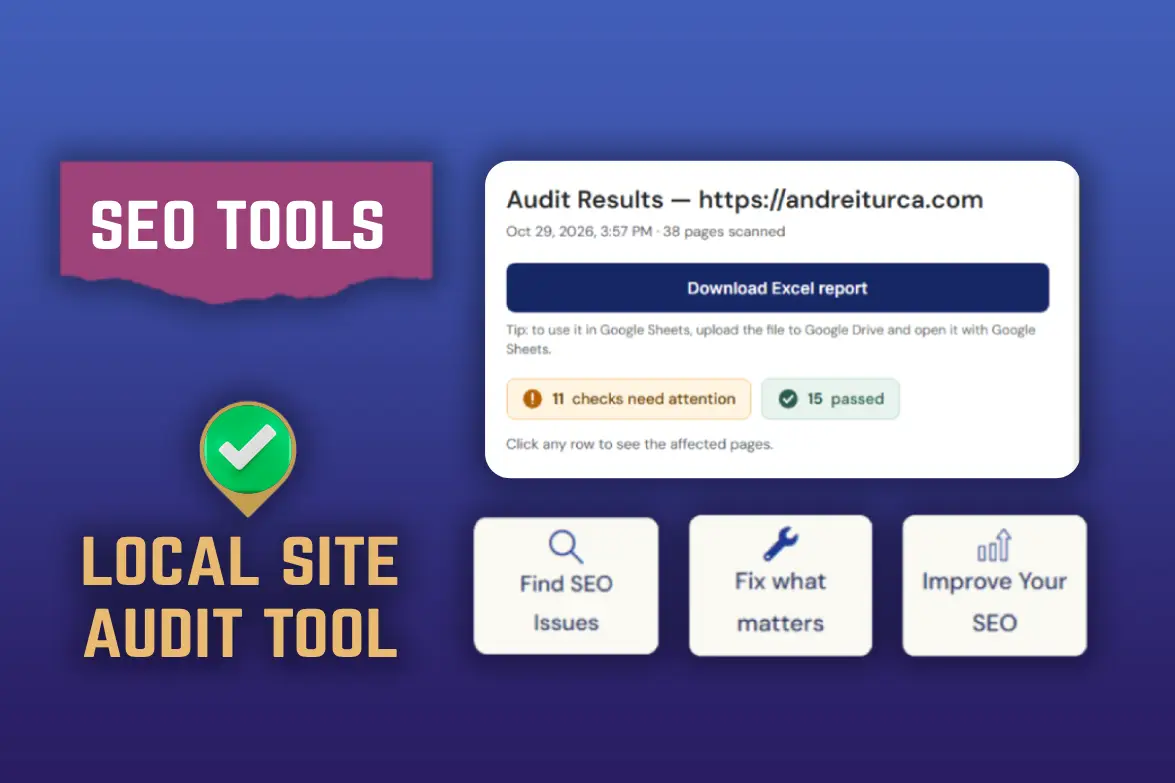
Run the free audit on your site, then use this guide to understand every result: what it means, how much it matters, how hard it is to fix and how to do it on WordPress, Wix or Squarespace.
Card color shows SEO impact: red high, amber medium, blue low. Impact depends on how many pages are affected and which pages they are.
Indexing and crawl
What search engines and AI crawlers are allowed to find, read and trust on your site.
Pages set to noindex
SEO impact High on key pagesFix EasyType Technical
- What it is. The page tells search engines not to show it in results.
- Why it matters. Fine for thank-you or admin pages. A costly mistake on your home, service or location pages.
- How to fix it. WordPress: Settings → Reading, untick “Discourage search engines”, then check that page’s SEO plugin setting. Wix and Squarespace: open the page’s SEO settings and allow search engines to index it.
- Example. The “Interior Painting in Denver” page still has noindex from when the site was in development, so it never appears in Google.
Canonical pointing to another page
SEO impact High on key pagesFix EasyType Technical
- What it is. The canonical tag names the main version of a page. Here it points to a different URL.
- Why it matters. Google may ignore this page and show the other one. Correct for true duplicates, a problem for a service or location page.
- How to fix it. Open the page’s SEO plugin settings (Yoast, Rank Math) and clear or correct the canonical URL.
- Example. /bathroom-remodel-austin/ has a canonical pointing to /services/, so Google treats the city page as a copy of the general one.
Error or redirect pages in the sitemap
SEO impact Medium, High at scaleFix Easy to MediumType Technical
- What it is. Your sitemap lists URLs that return an error or redirect.
- Why it matters. Search engines waste time on them and may trust the sitemap less.
- How to fix it. Remove those URLs from the sitemap or fix the pages. If a redirect is intentional, list the final URL instead. Most SEO plugins rebuild the sitemap automatically.
- Example. The sitemap lists /gutter-cleaning-tampa/, a page that was deleted and now returns a 404.
Content that depends on JavaScript
SEO impact High if content is missingFix Needs a developerType Technical
- What it is. The main content only appears after JavaScript runs, so the HTML your server sends is almost empty.
- Why it matters. Some crawlers, including many AI crawlers, may not run JavaScript and see very little.
- How to fix it. Ask your developer to render the main content on the server. To check yourself: Search Console → URL Inspection → Test Live URL → View Tested Page → HTML, then search for a sentence from the page.
- Example. A roofing site sends crawlers an empty page. The text “Roof repair in Tulsa” only appears after the script runs.
AI crawlers blocked in robots.txt
SEO impact Depends on your choiceFix EasyType Technical
- What it is. Your robots.txt blocks some AI search or assistant crawlers.
- Why it matters. Sometimes deliberate. Often a security plugin or a copied robots.txt did it by accident. A firewall or CDN can also block them even when robots.txt allows them.
- How to fix it. Open yourdomain.com/robots.txt, decide which bots you want to allow and remove the other blocks.
- Example. A copied robots.txt contains “User-agent: GPTBot” followed by “Disallow: /”, which hides the whole site from that crawler.
Tag pages in the sitemap
SEO impact Low, Medium at scaleFix EasyType Technical
- What it is. Your sitemap lists tag archive pages.
- Why it matters. On a local service site they create thin, near-duplicate pages and can outnumber your real content.
- How to fix it. In your SEO plugin, set tag archives to noindex and remove them from the sitemap.
- Example. A painter’s sitemap lists 40 tag pages like /tag/paint/ and /tag/walls/, more than its 12 real pages.
On-page and content
Titles, headings, meta descriptions and how fresh your pages are.
Missing title
SEO impact HighFix EasyType On-page SEO
- What it is. The page has no title tag.
- Why it matters. The title is the clickable headline in Google results. Without one, Google invents its own.
- How to fix it. Add a unique title with the service and the city in your SEO plugin or page SEO settings.
- Example. The AC repair page for Phoenix has no title, so Google shows the URL or makes up a headline.
Duplicate titles
SEO impact MediumFix EasyType On-page SEO
- What it is. Several pages share the same title.
- Why it matters. Pages become hard to tell apart for search engines and for people.
- How to fix it. Give each page its own title: service, city, brand.
- Example. Ten city pages all use “Plumber | Smith Plumbing”. Better: “Plumber in Dallas, TX | Smith Plumbing”.
Title too long
SEO impact LowFix EasyType CTR
- What it is. The title is longer than what Google usually displays.
- Why it matters. Part of it gets cut off in results. Not a major issue.
- How to fix it. Put the important words first and keep it around 60 characters.
- Example. “Professional Residential and Commercial Interior and Exterior Painting Services in Denver, Colorado | Mile High Painters” gets cut off. Better: “Interior and Exterior Painting in Denver, CO | Mile High Painters”.
Title too short
SEO impact Low to MediumFix EasyType On-page SEO
- What it is. The title is very short.
- Why it matters. It gives little context about the page. Also check whether it is a tag or category page that should not be indexed.
- How to fix it. Expand it with the service and the city.
- Example. A title that just says “Services”. Better: “Lawn Care in Raleigh, NC | Green Edge”.
Title and H1 worded differently
SEO impact LowFix EasyType Best practice
- What it is. The title and the main heading are worded differently.
- Why it matters. Often fine, even useful: the title can match what people search for, while the H1 adds another angle, such as an informational one. It only becomes a problem when the two point to different topics.
- How to fix it. Keep both on the same topic. Vary the wording or the intent on purpose, and make sure the H1 does not drift away from the title.
- Example. Fine: title “Fire Ant Control in North Alabama”, H1 “Fire Ant Control in North Alabama: Why Mounds Keep Coming Back”. Problem: the same title with the H1 “Welcome to our website”.
Missing H1
SEO impact MediumFix EasyType On-page SEO
- What it is. The page has no main heading.
- Why it matters. The H1 tells visitors and search engines what the page is about.
- How to fix it. Add one H1 per page. In page builders, set the main heading level to H1.
- Example. The big heading at the top of the page is a styled paragraph, not a real H1.
Duplicate H1
SEO impact Low to MediumFix EasyType On-page SEO
- What it is. Several pages share the same main heading.
- Why it matters. It makes different pages look alike.
- How to fix it. Make each H1 specific to its page.
- Example. Every city page has the H1 “Roofing Services”, instead of “Roofing Services in Boise” and “Roofing Services in Meridian”.
Missing meta description
SEO impact LowFix EasyType CTR
- What it is. The page has no meta description.
- Why it matters. Google often rewrites them, but not always. A good one can be used as written and helps people decide to click.
- How to fix it. Write one sentence of about 120–160 characters that summarizes the page.
- Example. No description, so Google builds the snippet from random page text such as menu items. Better: “Family-owned HVAC repair in Tulsa. Same-day service, upfront pricing, licensed technicians. Call for a free quote.”
Duplicate meta descriptions
SEO impact LowFix EasyType CTR
- What it is. Several pages share the same description, usually from copy-pasting a page.
- Why it matters. Every page should describe itself.
- How to fix it. Rewrite each description for its own page.
- Example. All 12 service pages use “We offer high quality services in Atlanta.”
Meta description too long or too short
SEO impact LowFix EasyType CTR
- What it is. The description is outside the usual length.
- Why it matters. Long ones get cut off. Short ones may not earn the click.
- How to fix it. Aim for about 120–160 characters.
- Example. “Plumber in Dallas.” is too short to earn a click. A 250-character description gets cut off.
Content freshness
SEO impact Low to MediumFix MediumType Best practice
- What it is. Based on the last-modified dates in your sitemap, which are not always the publish dates.
- Why it matters. It gives a rough picture of how actively the site is updated.
- How to fix it. Update key pages (services, photos, prices, areas) and make sure your sitemap dates reflect real changes.
- Example. The sitemap says most service pages were last updated in 2021, and the prices and photos on them look it.
Structured data
Markup that helps search engines and AI systems understand your business.
LocalBusiness and Service schema
SEO impact MediumFix Easy to MediumType Technical
- What it is. Your pages are missing the essential structured data for a local business or a service.
- Why it matters. It tells search engines and AI systems who you are, where you work and what you do.
- How to fix it. Use your SEO plugin’s local business settings or a schema plugin, then test with Google’s Rich Results Test.
- Example. The home page has no LocalBusiness data with the business name, address, phone, opening hours and service area.
Structured data that cannot be read
SEO impact MediumFix MediumType Technical
- What it is. The structured data has a syntax error, usually a missing comma or quote.
- Why it matters. Structured data that cannot be parsed is ignored.
- How to fix it. Test the page with Google’s Rich Results Test and fix or regenerate the markup in your plugin.
- Example. A missing comma after the telephone value makes the whole JSON-LD block unreadable.
Social profiles and sameAs
SEO impact LowFix EasyType Off-site
- What it is. Your site and your schema do not link your social profiles.
- Why it matters. Linking them, and listing them as sameAs, helps connect your profiles to one business. It is not a direct ranking factor.
- How to fix it. Add the social links in your footer and in your SEO plugin’s social profiles section.
- Example. The footer links to Facebook and Instagram, but the schema’s sameAs lists neither.
Images
Alt text, modern formats and file sizes.
Images without alt text
SEO impact Low to MediumFix EasyType On-page SEO
- What it is. Some images have no description.
- Why it matters. Missing alt text hurts accessibility and image search.
- How to fix it. Describe each image briefly in the media library or the image settings.
- Example. A kitchen photo has the alt text “IMG_4821” or none. Better: “White shaker kitchen cabinets repainted in Denver”.
Heavy or old-format images
SEO impact MediumFix Easy with a pluginType Technical
- What it is. Images are large or use older formats.
- Why it matters. They slow your pages down, especially on phones.
- How to fix it. Upload images at the size they are shown, convert to WebP and use an image optimization plugin on WordPress.
- Example. A 4 MB camera photo is used as a banner shown 1200 pixels wide. A 150 KB WebP looks the same.
Local presence
Where your business is linked and listed outside your own website.
Links to directory profiles
SEO impact Low to MediumFix EasyType Off-site
- What it is. Your site does not link to profiles like Yelp, Houzz, BBB, Nextdoor or Angi.
- Why it matters. It helps people and search engines connect those profiles to your business.
- How to fix it. Link them from your footer or contact page and keep your name, address and phone identical everywhere.
- Example. Your Yelp and Houzz profiles exist, but your website does not link to them.
Missing or inconsistent citations
SEO impact Medium for localFix MediumType Off-site
- What it is. Your business is missing from some directories, or listed with different details.
- Why it matters. Consistent listings support local visibility and trust.
- How to fix it. Claim the listings suggested in the report and use exactly the same name, address and phone.
- Example. Your phone number is (555) 010-2000 on your site but an old number on Yelp, so the listings do not match.
Tracking
Whether you can see which pages bring calls, forms and visitors.
Analytics missing, incomplete or duplicated
SEO impact Not a ranking factorFix EasyType Best practice
- What it is. We could not detect analytics, found it on only some pages, or found the same tag twice.
- Why it matters. Without it you cannot see which pages bring calls, forms and visitors.
- How to fix it. Install Google Analytics 4 once on every page (a plugin like Site Kit, your builder’s integration or Tag Manager). The audit only reads page HTML, so confirm in your analytics account that data is arriving.
- Example. GA4 is installed on the home page but not on the contact page, so you cannot see which visitors reach the form. Two GA4 snippets on one page would count every visit twice.
FAQs
Yes. Keyword and competitor analysis use paid API credits, but the audit is currently free to use and does not require an account. To download the full Excel report, you’ll need to provide your email address and consent to receive the report by email and join our newsletter. You can unsubscribe at any time.
It scans up to 200 pages so at the moment if fits only smaller websites.
There is a delay between scans to avoid server blocking – so sometimes it might take longer than expected to run a full website audit.
The site blocked the request, took too long to answer or returned something the tool cannot read. That is not the same as passing.
No. It does not have data to Google Search Console and interpret data over time for example.
It is a fast screening of what can be seen from outside your site focused on what I have seen often in my SEO Audits and worth checking and fixing for quick wins.
We use your website address and any optional keyword, location or competitor website only to run the audit. These inputs are shared with DataForSEO and Ahrefs to obtain search and domain data. Audit results stay temporarily in server memory for about two hours and are not stored in a database. The privacy policy explains it in the section for this tool: read the details.
The exported Excel file is not stored on our servers. A functional cookie remembers that you have unlocked the export for up to 30 days.
The audit tool cannot usually scrape all pages on the website without a sitemap.
- An overview of all the issues found.
- A detailed breakdown of all issued by category in separate spreadsheets.
- And a Task Manager that automatically arranges tasks based on what’s more important to check and fix on your website.
You will need to wait 24 hours to check again. The technical website audit should run without limitations (unless the server blocks the browser agent).
Yes, you can run it again after making changes and compare them yourself before and after.
The audit itself does not require an email address. You can see and easily copy paste each SEO issue in your own Google Sheet / Excel Spreadsheet.
To download the Excel report, you enter your email and give consent to receive a copy of the report by email and join our newsletter. Your first name is optional. You can unsubscribe at any time.

My name is Andrei and in 2014 I made my first money online through websites and SEO. I currently offer SEO services for Romanian and English-language websites. Learn more about my SEO approach on my YouTube channel with SEO tutorials. For more SEO education, check my SEO blog or my SEO case studies.
Case Studies & SEO Guides

Your SEO Success Is One Click Away
Looking for SEO that's based on data, not guesswork? Get in touch and let's see how I can help.